
Your treadmill flashes an error code mid-workout and suddenly stops. You have no idea what it means, your manual is buried somewhere, and a Google search gives you ten different answers. That frustration is exactly why having treadmill error codes explained in plain language matters. These codes are your machine's way of telling you something specific is wrong, whether it's a speed sensor losing signal, an overheated motor, or a console that stopped communicating. This guide breaks down the most common codes by category, tells you what causes them, and walks you through how to fix treadmill errors before calling anyone.
Table of Contents
- Key Takeaways
- 1. Treadmill error codes explained: what they actually are
- 2. Motor and speed sensor error codes
- 3. Incline and elevation mechanism error codes
- 4. Console and communication error codes
- 5. Overload, safety, and fail-safe error codes
- 6. Quick-reference comparison of common error codes
- My honest take on treadmill error troubleshooting
- When to stop troubleshooting and call a pro
- FAQ
Key Takeaways
| Point | Details |
|---|---|
| Document before you reset | Write down the exact error code before powering off so you don't lose critical diagnostic information. |
| Motor errors come first | E1, E2, and E3 codes are the most common and usually start with a speed sensor cleaning before replacing parts. |
| Power cycling has rules | Turning power off and back on too quickly can trigger new CPU errors instead of clearing the original one. |
| Incline errors have a workaround | STARTRAC's EL-OFF mode lets you keep using the treadmill with the incline disabled while you diagnose the fault. |
| Know when to stop DIYing | Console and motor control board failures require professional diagnosis to avoid making a minor fault expensive. |
1. Treadmill error codes explained: what they actually are
Error codes are fault signals generated by your treadmill's microprocessor when it detects a reading outside its expected range. Think of them like a check engine light. The light doesn't tell you the exact problem, but it points to a system. The code narrows it down further.
The challenge is that error codes vary significantly by brand and model. A code labeled "E1" on a ProForm means something completely different on a Horizon or a STARTRAC. That's why the first thing you should always do is locate your specific model's documentation. If you don't have the physical manual, the manufacturer's website or a quick search with your model number usually gets you there.
Most treadmill display error messages fall into four categories: motor and speed faults, incline mechanism faults, console and communication faults, and safety or overload trips. We'll cover each one in detail.
2. Motor and speed sensor error codes
Motor and speed-related codes are the most common you'll encounter. On most budget and mid-range machines, these show up as E1, E2, or E3. On STARTRAC machines, they appear as Error 0, 1, or 2 and are often triggered by the CPU not completing its reset cycle when you switch power off and back on too quickly.
What commonly causes these codes:
- A dirty or misaligned speed sensor (the small magnetic pickup near the front roller)
- A broken or frayed sensor cable
- A worn motor that draws more current than the controller expects
- A failing motor control board (MCB) that misreads speed signals
- Loose wiring between the MCB and the console
The Horizon Elite T4000 is a good example of how to work through this systematically. Its troubleshooting process starts with cleaning the speed sensor and checking the cable before touching anything else. The motor itself should read below 10Ω resistance during a direct test. Any reading above that means the motor is defective and needs replacement, not cleaning.
A good structured approach to motor errors looks like this:
- Write down the code before you do anything else.
- Power off completely and wait at least 30 seconds before restarting.
- Inspect the speed sensor for dirt, damage, or magnet misalignment.
- Check wiring connections at both the sensor and the MCB.
- If the error returns immediately after restart, test motor resistance.
- Replace the speed sensor before the MCB. Sensors are cheap; boards are not.
Pro Tip: Pay attention to how quickly the treadmill stops after you start it. A quick stop within seconds of startup almost always points to a speed sensor fault, while a stop after a minute or more of running typically means the motor or controller is tripping on an overload condition.
3. Incline and elevation mechanism error codes
Incline errors are frustrating because they often appear at random and can feel unrelated to how you're using the machine. On STARTRAC units, these show up as EL Error 0 through EL Error 3. On other brands, you'll typically see E5, E6, or E7 codes on the display.
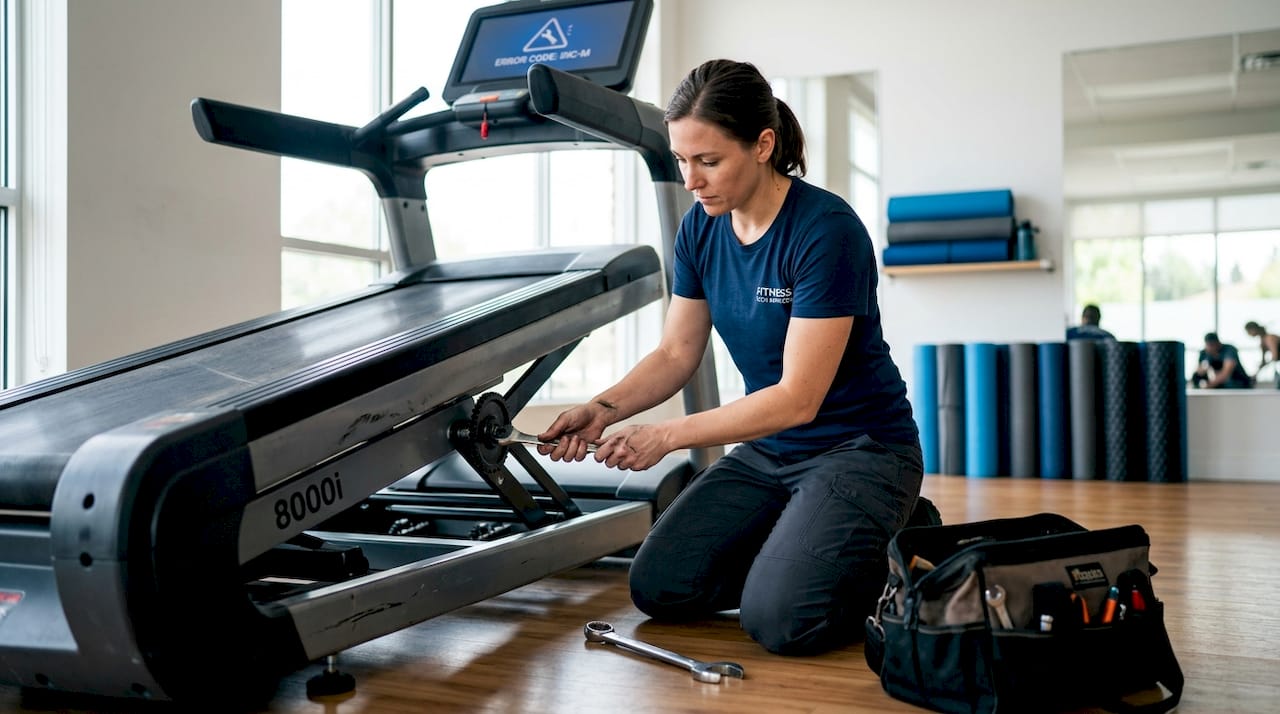
These errors indicate a fault in the elevation mechanism or its sensors. The incline motor drives a lead screw or lift mechanism, and a small sensor tracks its position. If the sensor loses signal or reads a position that doesn't match what the console expects, the machine throws an error.
Common causes of incline error codes:
- A worn or disconnected incline position sensor
- Debris or lack of lubrication in the incline mechanism
- A stalled incline motor from mechanical binding
- Loose wiring between the incline motor and the MCB
Pro Tip: STARTRAC machines have a practical workaround called EL-OFF mode. This temporarily disables the incline function so you can keep using the treadmill at a flat setting while you troubleshoot or wait for a part. Not every brand offers this, but it's worth checking your manual for a similar feature.
For calibration, some machines allow you to re-home the incline by holding specific button combinations at startup. This is often the fix when the error appears after a power outage or after someone manually moved the incline mechanism. Check wiring connections first, then try a calibration reset before ordering parts.
4. Console and communication error codes
Console errors are trickier than motor or incline faults because they can look like hardware failures when the actual problem is just a loose wire or a software glitch. On Precor machines, Error 23 signals a communication failure between the console and the motor control board. That might sound serious, but a loose wiring harness connection is the most common cause.
Here's a step-by-step process to work through console and communication errors:
- Power off and unplug the machine completely.
- Open the console housing and inspect every connector for corrosion, looseness, or pinched wires.
- On Icon and ProForm machines, try unplugging for 30 seconds to clear checksum errors caused by software corruption.
- Reseat all wiring harness connections firmly.
- Check any visible fuses on the MCB for signs of blown circuits.
- If your model has a calibration mode, run it after reconnecting everything.
- Test the machine and document whether the error returns.
Pro Tip: Icon and ProForm consoles have a built-in calibration mode that adjusts sensor accuracy without requiring part replacement. This can resolve error states that look like hardware failures. Look up your model's calibration key sequence before assuming the console is dead.
If the error persists after wiring inspection and calibration attempts, you're likely dealing with a failed console or MCB. At that point, testing with a multimeter to verify voltage at the board becomes necessary. This is where most DIY repairs reach their limit.
5. Overload, safety, and fail-safe error codes
Safety errors exist to protect both you and the machine. When your treadmill senses a condition it considers dangerous, it shuts down and logs the event as an error. The most notable of these is the fail-safe error, designated "FS Error 0" on STARTRAC units, which is triggered by a watchdog circuit on the motor control board detecting an unsafe speed control condition.
These errors are important. Do not simply clear them and keep running without understanding the cause.
Common overload and safety error triggers:
- A worn or misaligned walking belt creating excessive friction on the deck
- A dry deck surface that forces the motor to work harder than its rated load
- A failing drive motor drawing abnormal current
- Debris caught in the belt or roller mechanism
- Cycling power too quickly after a fault, which can itself trigger a new fail-safe condition
| Error Type | Common Cause | First Step | Urgency |
|---|---|---|---|
| Overload (OL) | Belt friction, worn deck | Lubricate belt and deck | Medium |
| Fail-safe (FS) | MCB watchdog trip | Power cycle with 60-second wait | High |
| Speed error | Sensor or motor fault | Clean speed sensor | Medium |
| Over-current | Motor drawing excess current | Test motor resistance | High |
Regular treadmill maintenance like deck lubrication and belt tension checks eliminates a large percentage of overload errors before they start. A well-maintained belt and deck reduce motor strain significantly, and that alone keeps most safety codes from appearing.
6. Quick-reference comparison of common error codes
Use this table to match your error code to a likely cause and decide whether to tackle it yourself or contact a technician.
| Code | Category | Likely Cause | DIY Fix | Call a Pro? |
|---|---|---|---|---|
| E1 / E2 | Motor/Speed | Speed sensor or wiring | Clean sensor, check cables | If error persists after cleaning |
| E3 | Motor | Motor or MCB fault | Test motor resistance | Yes, if motor reads above 10Ω |
| E5 / E6 / E7 | Incline | Position sensor or motor | Check wiring, recalibrate | If incline motor is binding |
| E9 / E10 | Console | Communication failure | Reseat connectors, power cycle | If wiring is intact and error returns |
| Error 23 (Precor) | Console/MCB | Loose wiring harness | Inspect and reseat harness | If reseating does not resolve it |
| FS Error 0 | Fail-safe | MCB watchdog trip | 60-second power cycle | If error returns on restart |
| OL | Overload | Belt friction or worn deck | Lubricate belt and deck | If lubrication does not help |
Knowing your exact code is the first step toward smarter troubleshooting. Some codes disappear after a careful reset and a few minutes of basic maintenance. Others point to component failures that require proper testing to diagnose. The table above helps you make that call quickly without guessing.
You can also use resources like the fitness equipment maintenance guides from equipment retailers to better understand general care routines that keep error codes from recurring.
My honest take on treadmill error troubleshooting
I've seen the same mistake made over and over: someone gets an error code, immediately powers the machine off and on, and when the code doesn't return right away, they assume the problem is solved. A week later, the error is back and worse.
The most valuable habit I can point you toward is writing down the exact code, the speed setting you were running at, and how long the machine ran before stopping. That timing detail alone changes the diagnosis. A treadmill that stops within seconds of starting has a completely different problem than one that runs for five minutes and then trips out.
I'd also push back on the idea that replacing parts is troubleshooting. Swapping a motor control board because you saw it in a forum post, without testing the motor resistance or cleaning the speed sensor first, is how people spend $200 on a fix for a $15 sensor. Systematic testing, from the simplest component outward, is always the right call. The structured troubleshooting flow of document, power cycle, inspect wiring, test sensors, then escalate is the process I trust every time.
One more thing: if your treadmill has hidden damage from a previous error that was cleared without being fixed, no amount of sensor cleaning is going to resolve recurring faults. Get the machine properly inspected before spending money on parts.
— Steve
When to stop troubleshooting and call a pro
If you've worked through the steps above and the error keeps coming back, that's not a sign that DIY repair is impossible. It's a sign that the problem requires component-level testing beyond what most people have tools for at home.

Texastreadmillrepair serves South Texas homeowners and gym operators who are done guessing at error codes. Their certified technicians come directly to your location, diagnose the fault on-site, and carry common replacement parts to handle most treadmill repairs in a single visit. Flat-rate pricing means you know the cost before anything is touched, and every repair comes with a 90-day parts and labor warranty. Same-week appointments are available across the region, including Mission TX treadmill repair and surrounding communities. Stop running your workout on a machine you're not sure about.
FAQ
What does E1 mean on a treadmill?
E1 typically indicates a speed sensor fault or signal loss from the drive motor. Start by cleaning the speed sensor and checking its wiring connection before testing the motor itself.
Why does my treadmill show an error code and then turn off?
The treadmill's safety system detected a reading outside acceptable limits and shut down to prevent damage. Document the code, wait 60 seconds, then power cycle and check for loose wiring or worn belt friction.
Can I clear a treadmill error code myself?
Yes, many error codes clear with a proper power cycle or a belt lubrication and sensor cleaning. However, clearing the code without fixing the underlying cause means the error will return, often escalating into a larger repair.
What causes a fail-safe error on a treadmill?
A fail-safe error means the motor control board's watchdog circuit detected an unsafe speed control condition. Cycling power too fast after a fault and hardware defects on the MCB are the two most common triggers.
How do I know if I need a new motor control board?
If you've cleaned the speed sensor, checked all wiring, confirmed motor resistance is below 10Ω, and the error still returns, the MCB is likely the fault. Have a technician confirm with a multimeter test before purchasing a replacement board.