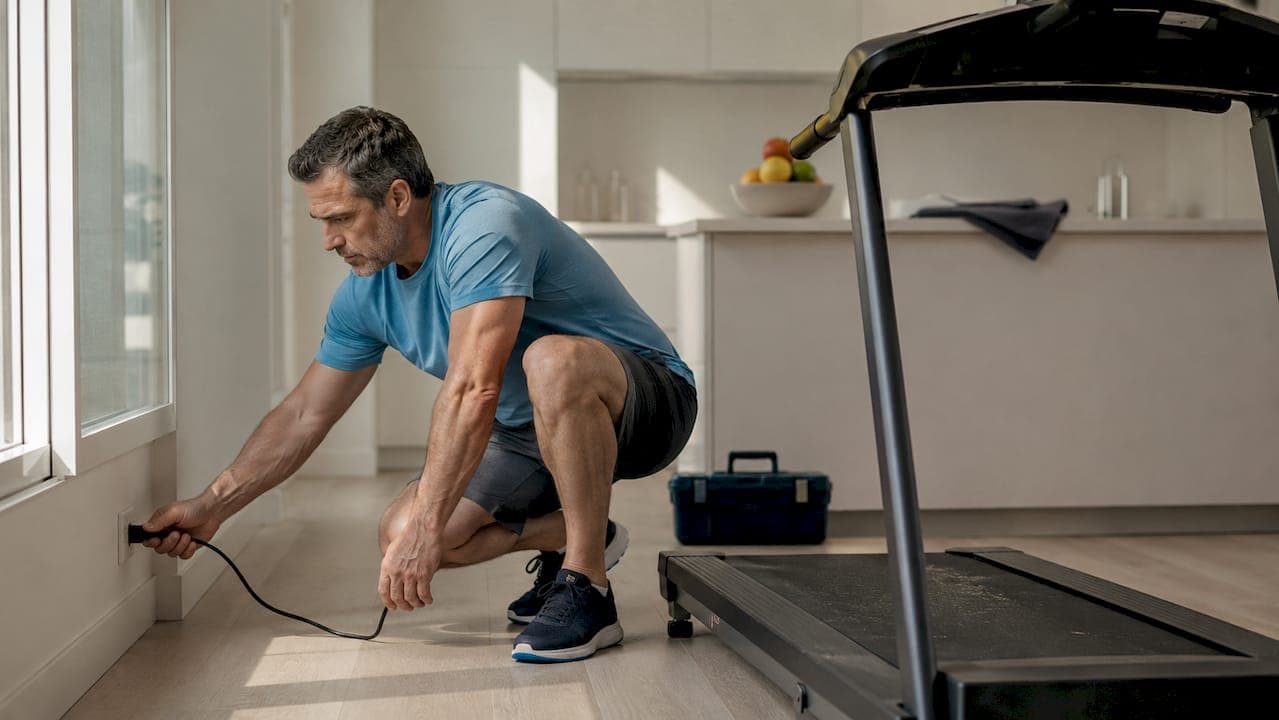
A treadmill reset after malfunction is the process of restoring your machine's normal operation by performing a targeted power cycle, console reset, or frame switch reset based on your specific symptoms and model. Not every reset method works for every problem. Using the wrong approach on a NordicTrack, Horizon, or Bowflex can waste time and, in some cases, cause further damage. This guide gives you the exact steps, timing, and electrical checks you need to get back on the belt without guesswork.
What are the common treadmill malfunction symptoms requiring a reset?
Knowing when a reset is the right call saves you from unnecessary repairs. These are the most common symptoms that point directly to a reset as the first fix.
- Machine won't power on. No lights, no display, no response when you press the power button. This usually points to a tripped frame power switch or a blown circuit, not a broken motor.
- Console freezes or locks up. The display is on but unresponsive. Buttons do nothing. This is a software or firmware hang, and it often clears with a console reset alone.
- Belt stops mid-workout. The motor cuts out unexpectedly. This can trigger an error code and lock the console until you perform a reset.
- Incline motor won't respond. The belt runs but the incline stays stuck. Some models require a full power cycle to recalibrate the incline sensor.
- Error codes appear on screen. Codes like E1, E2, or C/S/H on Bowflex models signal specific faults. The treadmill error codes guide from Texastreadmillrepair breaks down what each code means and which reset clears it.
- Safety key is in but machine still won't start. After a hard stop or emergency shutoff, the system may need a reset before it accepts the safety key again.
Symptom-based reset triage increases reset success and prevents you from cycling through the same failed steps repeatedly. Match the symptom to the reset type before you touch anything.
How to perform a power cycle and frame switch reset
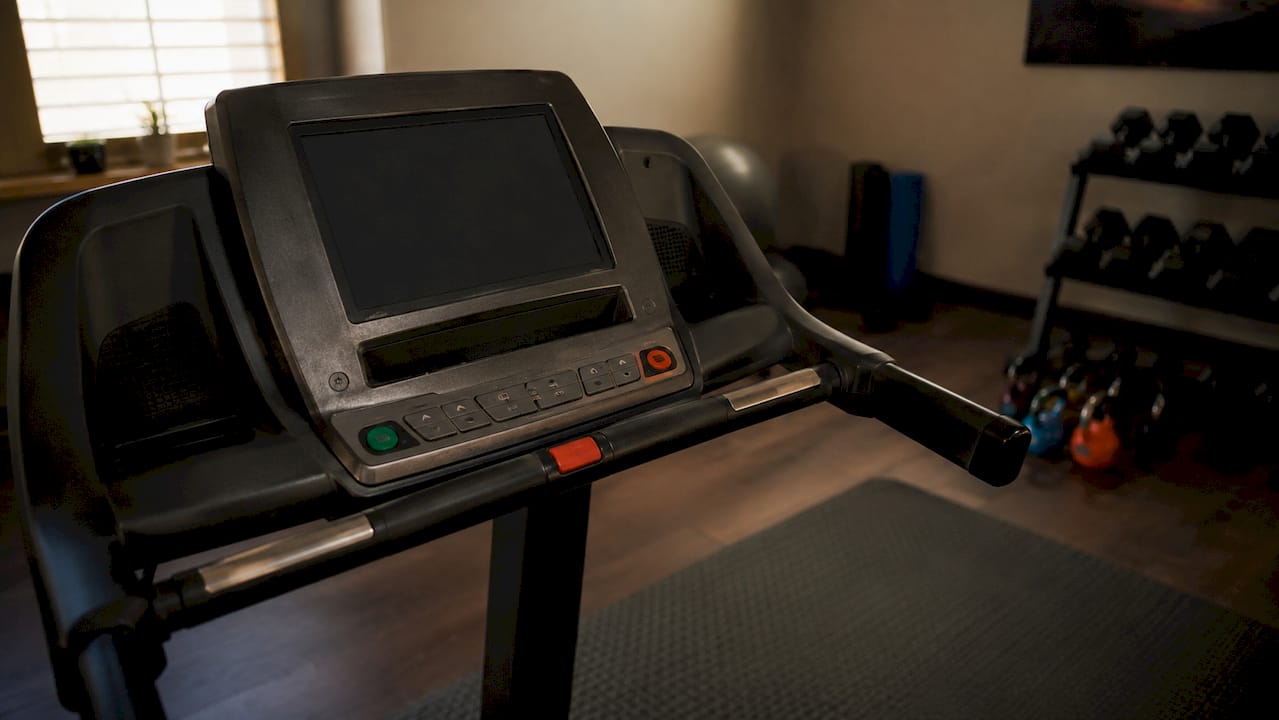
These two methods handle the majority of treadmill malfunctions. The key is following the correct sequence and waiting the right amount of time.
Power cycle reset (unplug method)
- Press the stop button and remove the safety key from the console.
- Unplug the power cord from the wall outlet completely.
- Wait a full 5 minutes before plugging back in. NordicTrack and ICON manuals specify this wait time to allow internal circuits to discharge and clear faults. Skipping the wait and plugging back in after 10 seconds does not clear the fault.
- Plug the cord back into a grounded outlet. Avoid power strips without surge protection.
- Reinsert the safety key and press the power button.
Frame power switch reset
- Locate the frame power switch. On most NordicTrack and Pro-Form models, it sits near the power cord at the base of the frame.
- If the switch has tripped, it will be in the middle or off position.
- Unplug the machine first, then wait 5 minutes. Waiting after a tripped switch allows the internal thermal fuse to cool and reset properly.
- Press the switch back to the on position.
- Plug the machine back in and test.
For the Bowflex TreadClimber TC10, the process is slightly different. The TC10 manual instructs users to cycle the rear power switch off for 10 seconds to clear C, S, and H error codes. That shorter window works for that specific model's circuitry. Always check your manual before assuming 5 minutes is universal.
Pro Tip: Waiting the full manufacturer-specified time after power off is not optional. The pause aligns with your treadmill's internal fault-clearing cycle. Rushing it means the fault stays in memory and the machine will not start.
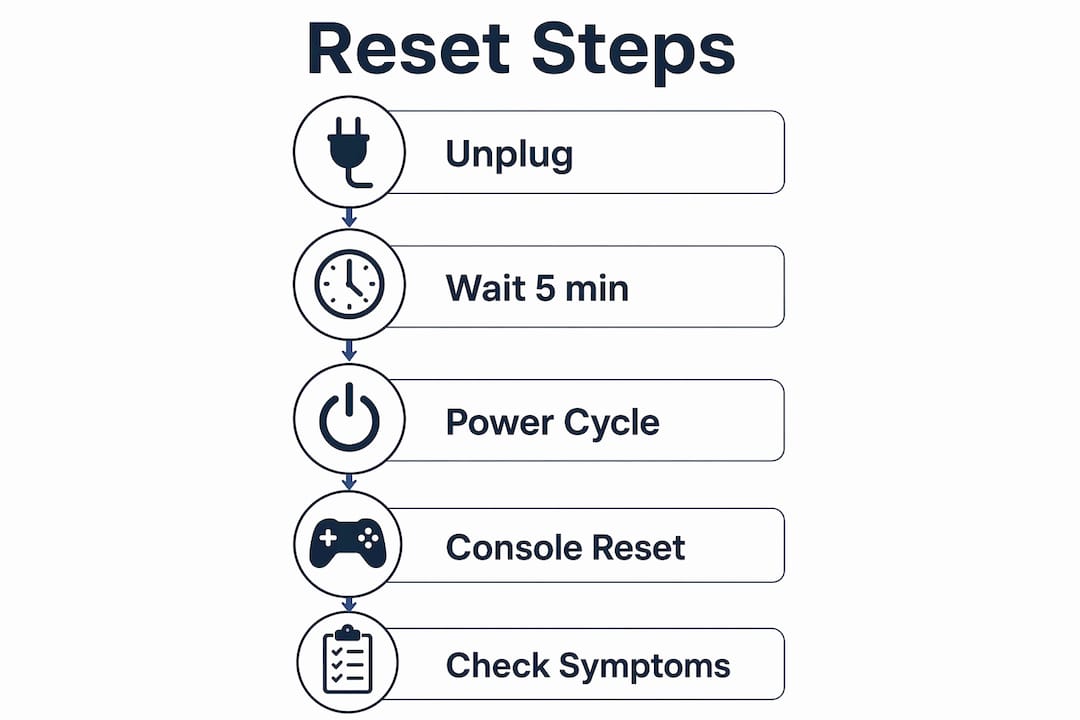
How to reset the treadmill console specifically
A console reset targets the user interface without cutting power to the whole machine. This is the right first move when the display freezes, a program locks, or buttons stop responding while the motor is still running.
Trying a console reset first saves time and prevents data loss compared to jumping straight to a full power cycle. Here is how to do it on the most common models.
Console reset for horizon treadmills (t101, t303)
- Confirm the treadmill is powered on and the belt is stopped.
- Press and hold the STOP button for 3 seconds. The Horizon T303 manual specifies this as the primary fix for a frozen or unresponsive display.
- Release the button. The console should reboot and return to the home screen.
- Reinsert the safety key and test all buttons before starting a workout.
- If the console does not respond after two attempts, proceed to a full power cycle.
Console reset for NordicTrack and pro-form models
- Remove the safety key from the console magnet.
- Wait 30 seconds for the display to time out on its own.
- Reinsert the safety key. Many NordicTrack models reboot the console automatically when the key is removed and reinserted.
- If the display remains frozen, proceed to the frame switch or unplug reset.
A console reset differs from a full reset in one critical way. It does not clear motor faults, belt errors, or tripped switches. Use it only when the symptom is clearly a display or software issue. If the belt is also behaving strangely, skip the console reset and go straight to a power cycle.
What mistakes should you avoid during a treadmill reset?
Most failed reset attempts come down to a few repeatable errors. Avoiding them cuts your troubleshooting time in half.
- Repeated rapid resets. Unplugging and replugging within seconds does not clear faults. It can actually deepen them by interrupting the circuit discharge cycle. Always wait the full specified time.
- Using GFCI or AFCI outlets. ICON, Pro-Form, and NordicTrack manuals explicitly warn that some treadmills cannot operate on GFCI or AFCI protected circuits. These outlets trip under the motor's startup surge and mimic a malfunction. Move the machine to a standard grounded outlet before resetting.
- Skipping the safety key check. A missing or misaligned safety key prevents startup on every modern treadmill. Confirm the key is seated correctly before assuming the reset failed.
- Ignoring belt condition. A worn or misaligned belt can cause the motor to cut out repeatedly, triggering the same fault after every reset. Check belt tension and alignment before resetting again. Texastreadmillrepair covers overheating causes that often stem from belt friction, which can loop into repeated malfunction resets.
- Escalating to factory reset too fast. The NordicTrack Commercial 1500 manual warns against jumping to a factory or recovery reset before completing basic power and switch resets. A factory reset wipes user data and program settings. It is a last resort, not a first step.
When to stop resetting and call a technician: If the machine trips the same fault within minutes of a successful reset, the problem is mechanical or electrical, not a software glitch. Repeated resets without addressing the root cause can damage the motor controller board. At that point, a professional diagnosis is the faster and cheaper path forward.
Electrical compatibility is as critical to a successful reset as the mechanical steps themselves. A treadmill plugged into the wrong outlet type will malfunction again within minutes of any reset you perform.
Key takeaways
A successful treadmill reset depends on matching the reset method to the specific symptom, following manufacturer wait times, and verifying electrical compatibility before and after every attempt.
| Point | Details |
|---|---|
| Match reset to symptom | Use console reset for frozen displays, power cycle for no power, switch reset for tripped breakers. |
| Wait the full time | NordicTrack and ICON manuals require 5 minutes after unplugging to clear internal faults properly. |
| Check your outlet | Avoid GFCI and AFCI circuits; use a grounded outlet with a surge suppressor for reliable resets. |
| Console reset saves data | Holding STOP for 3 seconds on Horizon models clears UI freezes without wiping settings or programs. |
| Escalate carefully | Factory resets and professional service are last resorts, not first responses to a malfunction. |
What i've learned after seeing hundreds of reset attempts go wrong
Most people who contact Texastreadmillrepair after a failed reset made the same mistake. They picked a reset method based on what they found in a generic online forum, not their actual machine. A NordicTrack T6.5 S and a Bowflex TreadClimber TC10 are not the same machine. They do not respond to the same reset timing. Treating them identically is how a fixable software glitch turns into a damaged motor controller board.
The single best habit I can recommend is reading the first 10 pages of your treadmill's manual before you touch the power switch. Manufacturers like ICON and Horizon put the reset procedure right there. It takes three minutes and it tells you exactly which outlet type to use, how long to wait, and which button sequence applies to your model.
I also want to push back on the idea that more resets equal more progress. They do not. If a machine trips the same fault code twice in one session, the reset is not the solution. The root cause of recurring failures is almost always mechanical, and no amount of power cycling fixes a worn belt or a failing motor capacitor. Patience and observation before the first reset attempt will tell you more than five rapid resets ever will.
— Steve
When a reset is not enough: get expert help fast

Some treadmill malfunctions clear with a 5-minute power cycle. Others signal deeper problems that no reset will fix. If your machine keeps tripping the same fault, the belt slips after every restart, or the console stays dark despite a correct reset sequence, the issue is mechanical or electrical at its core.
Texastreadmillrepair sends certified technicians directly to your home or gym in South Texas, often within the same week. Flat-rate pricing means no surprise fees, and every repair comes with a 90-day warranty on parts and labor. Before you decide whether to reset again or call for service, check the repairable vs. unrepairable signs guide to know exactly where your machine stands. For full repair service options, visit the Texastreadmillrepair services page.
FAQ
How long should i wait after unplugging my treadmill?
Wait a full 5 minutes after unplugging before plugging back in. NordicTrack and ICON manuals specify this wait time to allow internal circuits to discharge and clear fault memory completely.
Can i reset a treadmill without unplugging it?
Yes. On Horizon T101 and T303 models, holding the STOP button for 3 seconds performs a console reset without cutting power. This works for frozen displays but does not clear motor or belt faults.
Why does my treadmill keep malfunctioning after a reset?
Repeated faults after a reset point to a mechanical or electrical root cause, such as a worn belt, overheating motor, or incompatible outlet type. A reset clears software faults but cannot fix hardware problems.
Are GFCI outlets safe to use with a treadmill?
Most treadmills from NordicTrack, Pro-Form, and ICON are not compatible with GFCI or AFCI outlets. The motor's startup surge trips these outlets, which mimics a malfunction. Use a standard grounded outlet with a surge suppressor instead.
What is the difference between a console reset and a factory reset?
A console reset clears a frozen display without erasing data, typically by holding the STOP button. A factory reset wipes all user settings and programs and should only be used as a last resort after all other reset methods have failed.